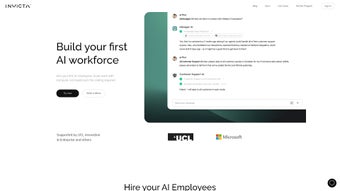

Download InvictaAI – AI‑Powered Automation Tool for Business, Free Trial Available
Overview
InvictaAI is a next‑generation, AI‑driven automation platform that lets businesses replace repetitive manual work with intelligent, self‑learning agents. The core idea behind InvictaAI is the “AI employee”: a virtual worker that can be created, trained, and deployed through a simple chat‑based interface without writing a single line of code. Once an AI employee is live, it can monitor incoming data, make real‑time decisions, and hand off tasks to other agents or human operators when necessary.
This human‑in‑the‑loop model ensures that critical actions—such as refunds, pricing changes, or contract approvals—always receive a final human sign‑off while the rest of the workflow runs at machine speed. InvictaAI ships with a library of pre‑built connectors for popular help‑desk and CRM systems, including Zendesk, Intercom, Salesforce, and HubSpot, allowing the AI agents to act directly inside the tools your team already uses. Detailed analytics dashboards give managers visibility into agent performance, interaction volume, cost savings, and ROI, making it easy to fine‑tune automation strategies.
Security is baked in: data is encrypted in transit and at rest, role‑based access controls protect sensitive information, and the platform complies with GDPR and CCPA. In short, InvictaAI offers a secure, scalable, and user‑friendly way to turn routine labor into intelligent, self‑optimising workflows that grow alongside your organization.
Core Features & Business Benefits
- No‑Code AI Employee Builder: Create autonomous agents using plain‑language chat commands.
- Collaborative Workflow Engine: Chain multiple agents together so they can pass tasks seamlessly.
- Human‑in‑the‑Loop Controls: Critical decisions trigger approval requests to keep oversight.
- Native Integrations: Pre‑built connectors for Zendesk, Intercom, Slack, Salesforce, HubSpot, and more.
- Continuous Learning: Agents improve automatically by analyzing past interactions.
- Real‑Time Analytics & Reporting: Dashboards show response times, cost savings, and ROI.
- Cloud‑Native Scalability: Scale from a single agent to thousands without performance loss.
- Enterprise‑Grade Security: AES‑256 encryption, OAuth 2.0, GDPR/CCPA compliance.
These capabilities translate directly into measurable business outcomes. Automating ticket triage can cut first‑response times by up to 60 %, while AI‑driven lead qualification accelerates sales pipelines by roughly 30 %. Because the platform is no‑code, non‑technical teams—marketing, HR, finance—can build their own assistants without waiting on IT, reducing internal project queues.
The collaborative workflow engine eliminates silos; a support AI can automatically forward a complex billing issue to a finance AI, keeping the customer experience smooth and consistent. Built‑in analytics provide a clear view of where automation delivers value and where manual intervention remains necessary, enabling continuous optimization of resources and budgets. Security features protect sensitive data, helping companies meet regulatory requirements without additional tooling.
Overall, InvictaAI delivers a compelling mix of speed, flexibility, and control that can drive both cost reduction and revenue growth.
Installation, Usage & Compatibility
Step‑by‑Step Installation
Starting with InvictaAI is designed to be frictionless. Visit the official website, click the Download Free Trial button, and choose the installer for your operating system. Installers are available for Windows 10/11 (64‑bit), macOS 12 Monterey or later (Intel & Apple Silicon), and major Linux distributions such as Ubuntu 20.04 LTS and Debian 11.
The installer runs in under five minutes; it automatically configures required services, creates a desktop shortcut, and registers the application with your OS. After the installation, launch the InvictAIOpen client and follow the onboarding wizard: create an account, connect your communication channels (e.g., Zendesk, Slack), and select an AI model tier (Starter, Professional, Enterprise). All connections use OAuth 2.0, and the wizard validates each integration before you proceed.
Creating Your First AI Employee
With the platform ready, open the built‑in chat console and type /create agent SupportBot. The system asks a few guided questions—what ticket fields to monitor, priority rules, escalation paths, and preferred language style. After confirming, InvictaAI generates a fully functional AI employee in seconds.
You can then fine‑tune its behavior using natural‑language prompts such as “SupportBot, prioritize tickets from VIP customers” or “Route any ticket mentioning ‘refund’ to the finance team”. The agent learns from each interaction, updating its decision‑making model behind the scenes without any manual retraining. For more complex scenarios, a low‑code scripting layer is available, letting power users add custom logic or external API calls.
Operating System Compatibility
InvictaAI runs on the following platforms:
- Windows 10, Windows 11 (64‑bit)
- macOS 12 Monterey and newer (Intel & Apple Silicon)
- Ubuntu 20.04 LTS, Debian 11, and other major Linux distributions
- Docker container for custom deployment environments
Mobile access is provided through companion apps for iOS 15+ and Android 11+, giving managers the ability to monitor agent performance, view analytics, and approve escalations from any device. All desktop and mobile clients share the same cloud backend, guaranteeing consistent behavior regardless of where you interact with the system.
Pros, Cons, FAQ & Conclusion
Pros & Cons
- Pros:
- No‑code setup dramatically reduces implementation time.
- Continuous learning keeps agents up‑to‑date without manual retraining.
- Rich native integrations eliminate the need for custom APIs.
- Human‑in‑the‑loop safeguards critical business decisions.
- Transparent analytics provide clear ROI measurement.
- Scalable cloud architecture supports growth from startups to enterprises.
- Cons:
- Advanced customizations may require a learning curve for non‑technical users.
- Enterprise tier pricing can be high for very small businesses.
- Initial data migration from legacy systems may need extra preprocessing.
Frequently Asked Questions
Is InvictaAI free to use?
InvictaAI offers a 14‑day free trial with full feature access. After the trial, subscription plans start at $49 / month for the Starter tier and go up to $299 / month for Enterprise.
Can InvictaAI integrate with my existing CRM?
Yes. In addition to native Zendesk and Intercom connectors, InvictaAI provides a REST API and pre‑built Zapier integrations for Salesforce, HubSpot, Microsoft Dynamics, and many other CRMs.
How secure is my data within InvictaAI?
All data is encrypted at rest with AES‑256 and in transit with TLS 1.3. Role‑based access, detailed audit logs, and GDPR/CCPA compliance are built into the platform.
Do I need programming knowledge to create AI agents?
No. InvictaAI’s chat‑based command system lets you define agents, set rules, and adjust behavior using plain language. Advanced users can still access a low‑code scripting layer for deeper customization.
What kind of support does InvictaAI provide?
All paying customers receive 24/7 email support, live chat during business hours, and access to a comprehensive knowledge base. Enterprise customers also get a dedicated account manager and priority incident handling.
Conclusion – Why Download InvictaAI Today?
InvictaAI bridges the gap between powerful AI automation and everyday business usability. Its no‑code AI employee builder lets any team member spin up intelligent agents in minutes, while built‑in human‑in‑the‑loop safeguards keep high‑impact decisions under direct control. The platform’s extensive integration library, real‑time analytics, and enterprise‑grade security make it a safe, scalable choice for organizations of any size.
Measurable benefits such as faster response times, reduced operational costs, and higher employee satisfaction translate directly into a stronger bottom line. Whether you’re a fast‑growing startup or a global enterprise, InvictaAI provides the tools you need to eliminate repetitive work and focus on strategic growth. Download InvictaAI now, start your free trial, and experience the future of intelligent workflow automation.



.png)



